Recontraq is the personal finance control room for bills, subscriptions, insurance, and cashflow.
Built from the actual app workflows: dashboard summaries, Traq analytics, Traqer account review, vendor classification, subscriptions, policies, bills, rewards, and secure data controls.
Know what is committed before the month gets away from you.
Catch subscriptions, renewals, and insurance premiums before they become surprises.
Turn transactions into categories, vendors, transfers, and review queues.
Keep budget, cashflow, accounts, policies, and learning in one product.
Dashboard
Traq
Traqer
Feature system
A complete product, not a single dashboard.
The website now lists the actual app modules and the value each creates for a user managing recurring money commitments.
Dashboard and account overview
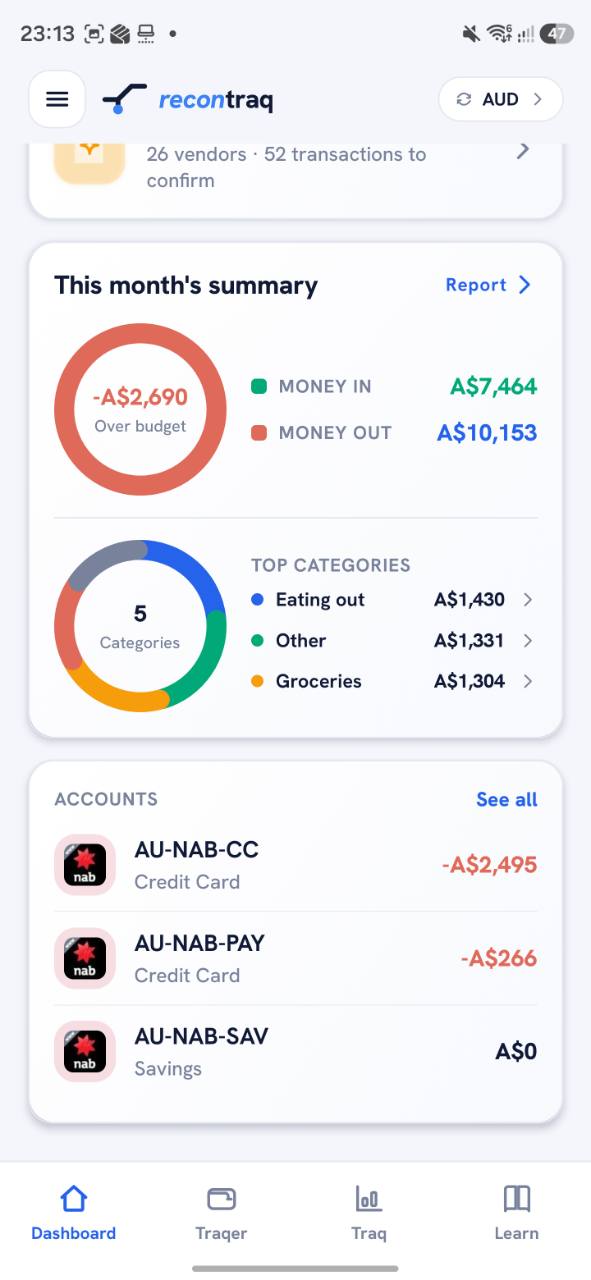
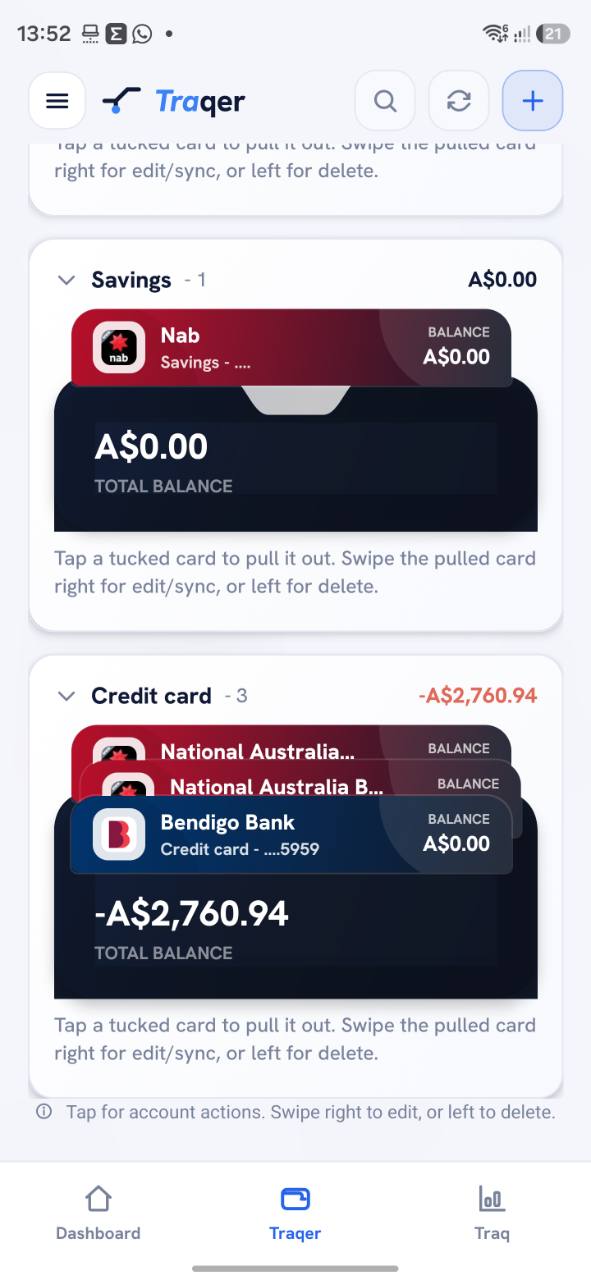
The Dashboard summarises money in, money out, leftover amount, top categories, and account balances. Account cards are grouped for savings, credit cards, and connected/manual sources.
Monthly summary ringsAccount list and balancesDashboard style preferenceCurrency display
Traq cashflow analytics
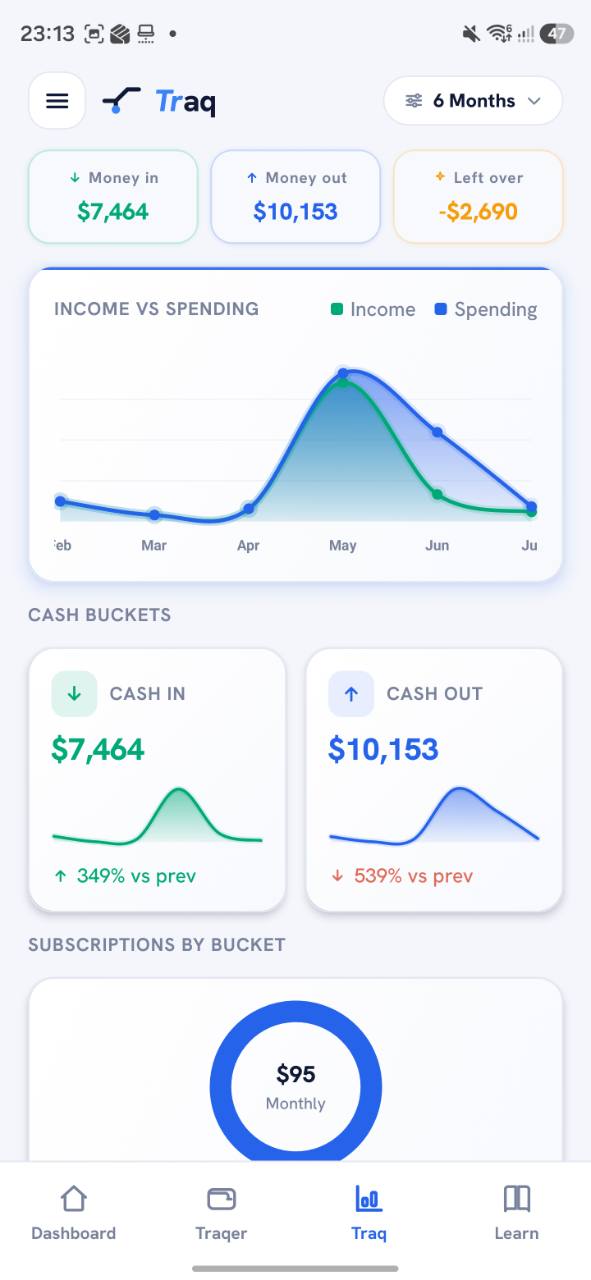
Traq turns transaction history into trend charts, cash-in/cash-out cards, subscription buckets, and category summaries over selectable periods.
Income vs spendingCash bucketsSix-month trend viewCategory drill-down
The app tracks subscriptions manually and from detections, normalises payment frequency into monthly equivalent amounts, and lets users confirm or disable recurring items.
Dashboard widgets that map to real product surfaces.
Recontraq includes configurable widget concepts for account preview, cashflow snapshots, review queues, subscriptions, insurance, and premium progress.
Balance Hero
Accounts Preview
Cashflow Snapshot
Group Spending
Review Queue
Subscriptions
Insurance
Premium Progress
Data and review
Data can enter through bank connection, CSV/manual sources, and spreadsheet import paths.
The product is designed around consent, classification, correction, and review. The website avoids overstating automation: users can inspect, filter, correct, and export where the app supports it.
Bank connections
Secure consent flow for connected-bank sources. Recontraq does not ask for bank passwords and treats bank data as read-only product data.
CSV and spreadsheet imports
Import code supports CSV-style records plus Google Sheets and Microsoft Excel OAuth connectors for structured transaction import workflows.
Categories and vendors
Transactions can be grouped by category, vendor, tags, account, income/expense direction, and review status.
Transfers
Transfer detection pairs matching debit and credit entries within a short date window so internal movement is not treated like spend.
Screens
Real app screens tied to real workflows.
The screenshots are used as product proof, not decoration. Each screen supports a specific financial organisation job.
Dashboard
Summary first: money in, money out, categories, accounts.
The dashboard is built for scanning. Users can see over-budget status, top categories, and account balances without opening a report.
Traq
Trend charts and cash buckets for month-to-month control.
Traq shows income versus spending, cash-in/cash-out cards, subscription buckets, and period filters so users can compare movement over time.
Traqer
Accounts, cards, transactions, vendors, and transfers.
Traqer brings account cards, transaction filters, vendor review, transfer pairing, and edit/sync/delete actions into one workflow.
Breakdown
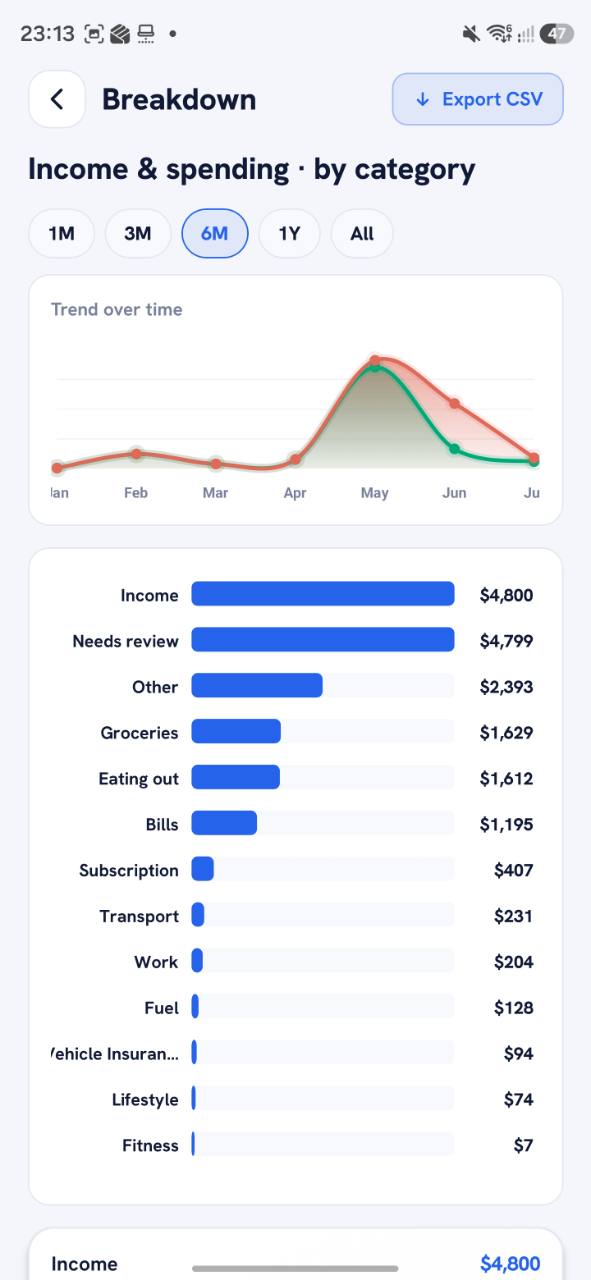
Reporting that can be filtered, exported, and acted on.
Breakdown reports list category values, trend lines, selectable periods, and CSV export for users who want detail beyond the dashboard.
Value creation
Designed to reduce uncertainty, not to give financial advice.
Recontraq creates value by making commitments visible and reviewable: what is coming, what is recurring, what needs classification, and what needs action.